While we like to be as active as possible here at Wakeford Digital, it's likely no surprise that a lot of the real work happens behind the scenes.
While strategy, design, and content are often the most visible parts of a website project, the way a site is built and managed day-to-day matters just as much.
Much of this work happens inside Webflow...
It is where our websites are developed, content structures are built, Content Management Systems (CMS) are configured, and sites are prepared for launch. Just as importantly, it is where long-term usability is considered, well beyond day one.
There is a reason Webflow plays such a big role in how Wakeford Digital builds websites for our Hobart businesses, particularly within the competitive space of Hobart web design, and with this in mind, we wanted to take some time to dive deeper into the platform and opportunities it creates.
We're the first to acknowledge that every platform has strengths and limitations however for Wakeford Digital, Webflow consistently strikes the right balance between design freedom, performance, and long-term usability.
From a development perspective, Webflow allows control without unnecessary complexity. From a client perspective, it removes much of the friction that traditionally comes with managing a website.
“When we build a site, we are not just thinking about how it looks on launch day but are also thinking about how easy it will be for a client to update it six months from now,” says Yousaf, Web Developer at Wakeford Digital.
This mindset influences how the CMS is structured and how content areas are built from the start. The focus is on making future updates feel simple and predictable, not technical or risky.
With over 10 years using the platform now, we've found that Webflow enables clean, fast websites without relying on layers of plugins or fragile add-ons.
That stability matters for businesses that want their site to support marketing, SEO, and growth over time, rather than becoming another system that needs constant attention.
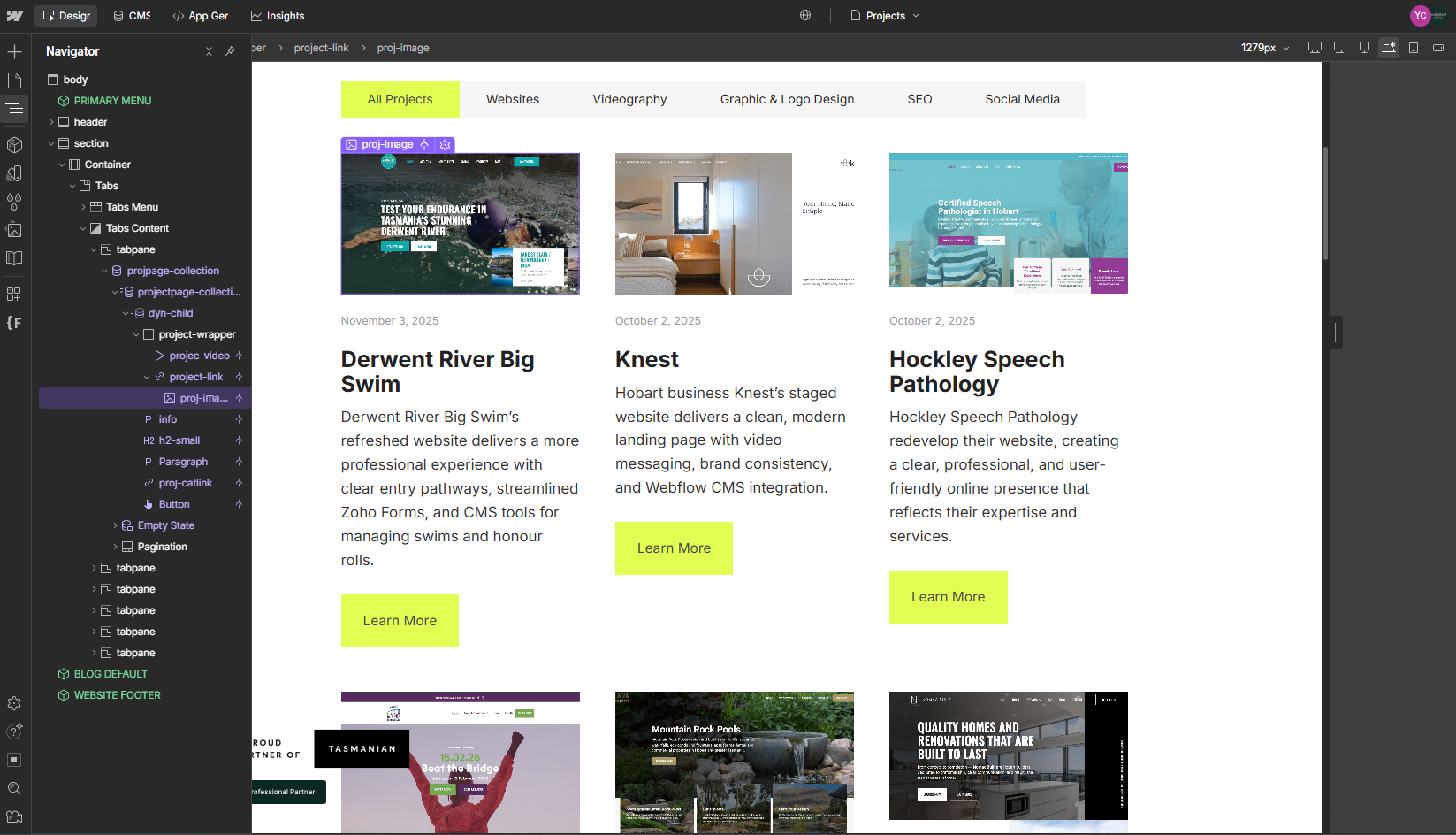
Webflow supports long-term website management without forcing clients into a complex backend.
Some of the key benefits of using Webflow that we've found include:
These foundations allow businesses to focus on content, marketing, and growth rather than technical maintenance. Read more below on our love for Webflow's Editor Mode.
One of Webflow’s most valuable features is Editor Mode, which is gradually transitioning into Build Mode while the core functionality remains the same.
Instead of logging into a complex backend dashboard, clients edit content directly on their live website.
Text, images, blog posts, and CMS content are updated in context, on the page itself.
“You are editing the actual page you are looking at. There is no guessing which field controls which section, and no disconnect between what you see on screen and what you are updating behind the scenes,” explains Yousaf on why this assists our clients.
This changes how clients interact with their website. Updates feel less intimidating, errors are easier to spot, and confidence builds quickly.
Editor Mode allows clients to:
For many businesses, this is the difference between a website that stays current and one that slowly becomes outdated.
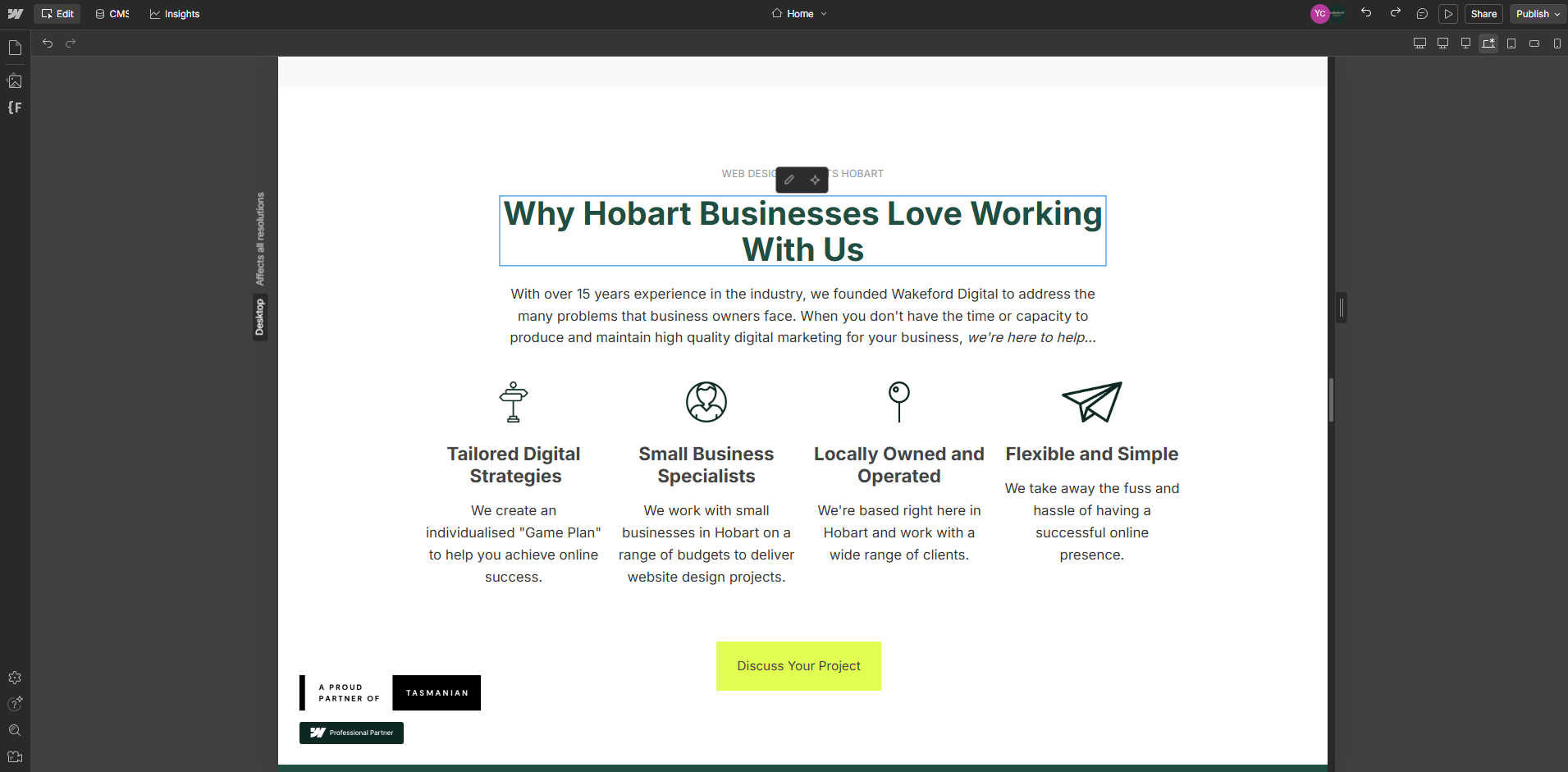
A strong website is built on structure, not just individual pages.
It means planning how content will grow before building the first page. It means thinking about future blog posts, new services, project additions, and ongoing updates before the website even launches.
Most Wakeford Digital websites rely heavily on Webflow’s CMS. When it is planned and configured properly, content becomes easier to manage, reuse, and scale without creating inconsistencies.
“When a CMS is structured thoughtfully, content becomes predictable and scalable. Clients can add new items confidently because the system supports them, rather than forcing workarounds or manual layout adjustments each time something changes.” says Yousaf.
This approach supports growth over time. New services, blog posts, projects, or updates can be added without affecting the core layout or design.
It also creates cleaner signals for search engines, which becomes increasingly important as content expands.
Going live with a website is an important milestone, but it is not the end of the process.
A significant amount of technical work happens around launch that never gets seen, but plays a major role in how reliable a site feels from day one.
This usually includes:
“A website should not just go live and be left - however, it should launch in a way that feels stable, complete, and technically sound. Proper redirects, indexing checks, and domain configuration prevent avoidable issues later,” says Yousaf.
Getting these steps right reduces post-launch issues and avoids rushed fixes later.
At the end of the day, a platform matters because of how it supports people using it.
A good website should be easy to manage, stable over time, and flexible enough to grow alongside the business. That is often what separates thoughtful Hobart web design from websites that simply look good on launch day.
Webflow allows Wakeford Digital to build websites that meet those expectations without unnecessary complexity.
It also fits naturally with how the team works. Sites are designed with intent, built with structure, and handed over in a way that allows clients to confidently manage their own content.
“If a client feels comfortable using their own website, then we have done our job properly. A website should not feel dependent on a developer for every small change. It should feel stable, intuitive, and ready to support the business as it grows,” says Yousaf.
If you are planning a new website or considering a rebuild, it is worth looking beyond design alone and thinking about how the site will actually function day to day.
Want to know how Webflow could support your Hobart or Tasmanian business, book a call and let’s have a conversation.
It is in everyday use where a well-built website really earns its place.
Thanks for reading.